Updated: 09 June 2023
Upload Required Documents
Table of Contents
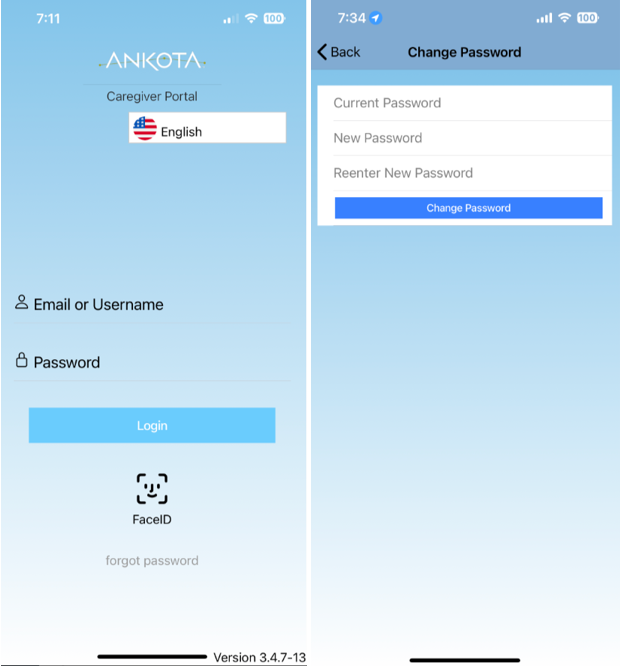
HOW TO LOG-IN TO ANKOTA MOBILE APP FOR THE FIRST TIME:
- Download "Ankota Caregiver" by visiting the App Store or Google Play
- Add login Info
-
Username: provided by organization
-
Temporary Password: password
- Change password
- If you have any questions or concerns about login information, please email your company's office and confirm username and password.
HOW TO UPLOAD DOCUMENTS:
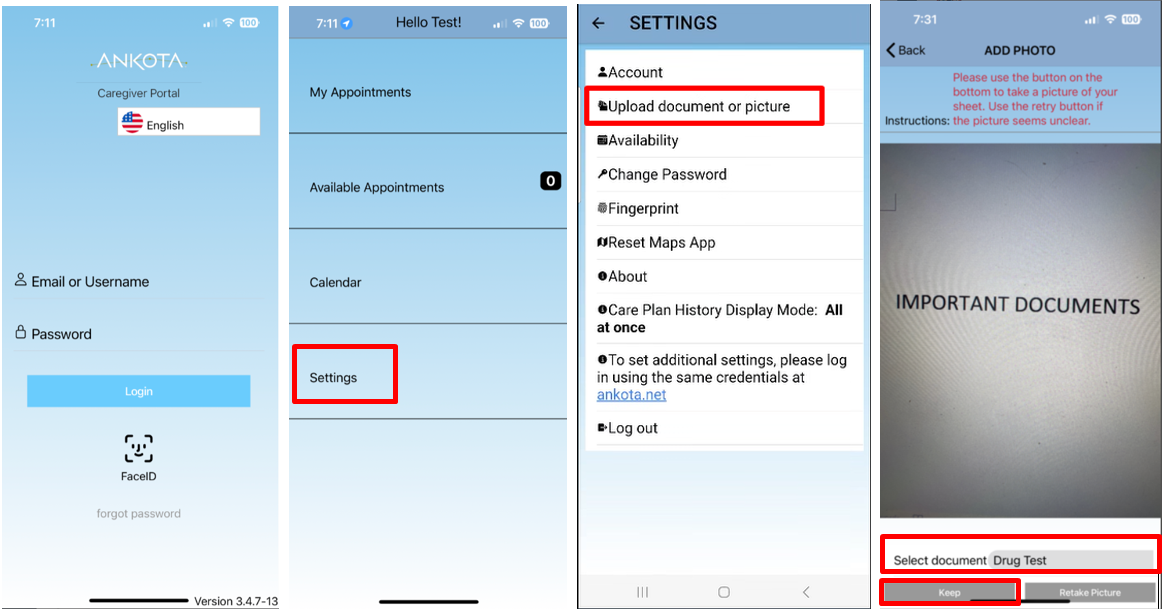
- Log-in to Ankota's Caregiver Mobile App
- Go to Settings
- Click Upload document or picture
- Add picture
- Select Document
- Keep
- Repeat until all necessary documents are uploaded. If you have questions on your checklist, please review below.